
All guides
Run a loyalty card or an offer
Reward your regulars. Customers keep it on their phone; you confirm the code at your counter.
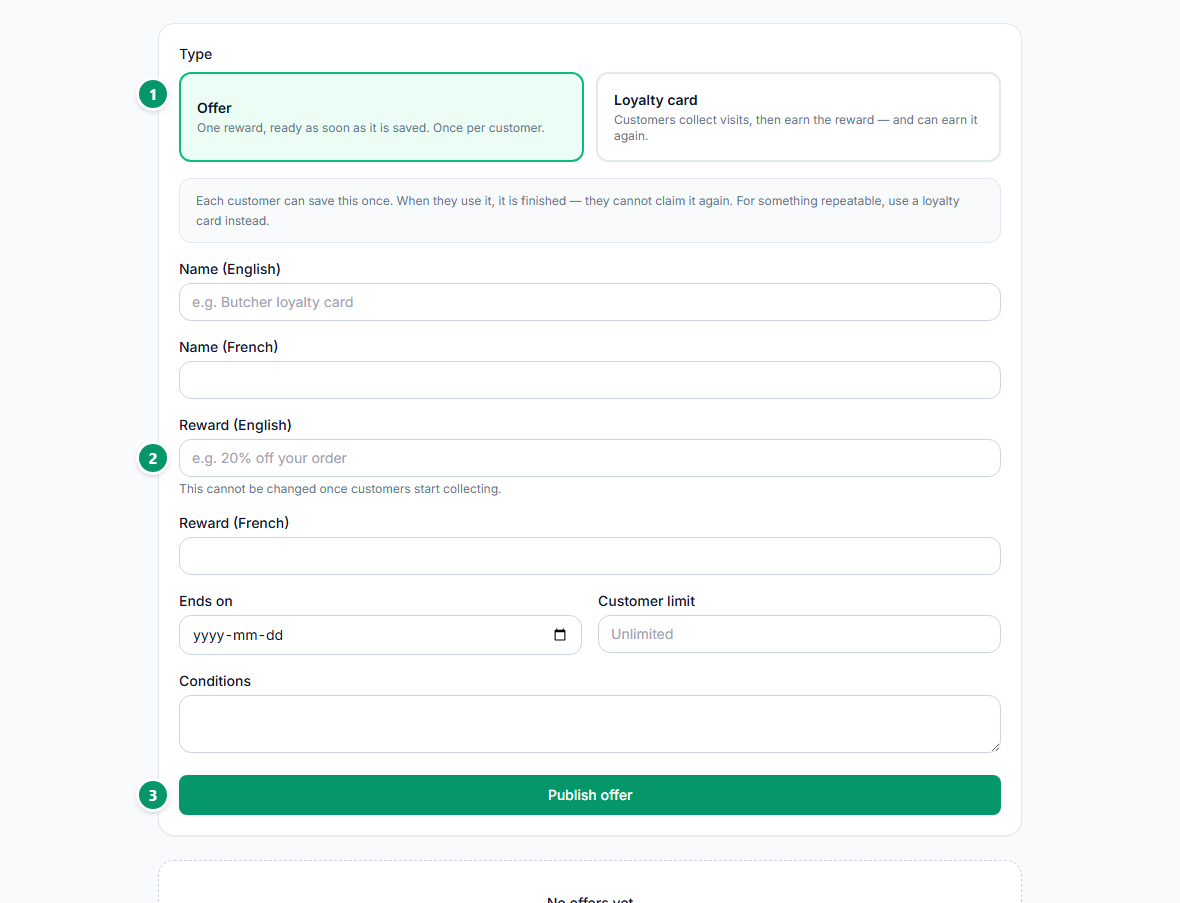
This works whether a customer found you on HalSouk or simply walked past your door. Open Offers & loyalty, then New offer.
- 1Pick the type. An offer is one reward, ready as soon as it is saved — once per customer. A loyalty card is collected over several visits and can be earned again.
- 2Write exactly what the customer gets. This cannot be changed once people start collecting, so be specific.
- 3Publish. It appears on your page and in Offers straight away.
When a customer shows you their code, open the counter screen and confirm it. Point your phone camera at their screen, or type the code they read out.
- 1Type or scan the customer's code.
- 2Confirm. You see their name and exactly what to hand over.

Your staff can confirm codes without your password. In Offers & loyalty, add a staff device and send the link to their phone — it can confirm codes for your business and nothing else, and you can revoke it in one click.
Offers are yours: you decide the reward and you honour it. HalSouk does not fund or guarantee rewards.